Infinite tapes
A tape is a structured 2D layout context in Matemium’s scene model. In tape-scroll mode it behaves like an infinite document: content flows vertically, reveals as the camera reaches it, and remains addressable after appearing.
Use the automatic root tape
Section titled “Use the automatic root tape”builder = CanvasBuilder(title="Supply and Demand")builder.add_heading("A market moves toward equilibrium")builder.add_body("Demand falls as price rises.")builder.add_body("Supply rises as price rises.")The root tape is created automatically. Ordinary builder.add_* calls are laid
out relative to other root-tape content.
Why elements persist
Section titled “Why elements persist”Revealed elements are stored in a registry. Later timeline operations can focus, transform, or revisit them without rebuilding the object.
Assign an explicit identifier when you need to reference an element later:
builder.add_math(r"Q_d = Q_s", id="equilibrium")builder.add_camera_focus("equilibrium", zoom=1.8, hold_time=1.0)Multiple tapes
Section titled “Multiple tapes”Use multiple tapes when an explanation has parallel spatial contexts:
left = builder.add_tape("claim")right = builder.add_tape("objection")
left.add_heading("Claim")left.add_body("Knowledge requires certainty.")
right.add_heading("Objection")right.add_body("Fallible beliefs can still be justified.")
The renderer automatically switches context when timeline content moves between tapes. The transition fades out the previous context, cuts to the destination camera pose, and fades in the selected tape. World-to-tape, tape-to-tape, and tape-to-world switches are implemented and exercised by the orbital flagship.
The root tape remains the simplest default. Use additional tapes deliberately and verify the choreography in a real preview.
Select and scroll a tape explicitly when its local position matters:
builder.scroll_tape( tape_id="objection", local_y=4.5, run_time=1.0,)Tape view and world view
Section titled “Tape view and world view”A tape currently provides:
- Root-tape view — document layout, automatic local scrolling, lazy reveal, and focus.
- Additional tape contexts — separate camera-facing layouts with automatic curtain switching and explicit local scrolling.
Free 3D objects do not inherit tape layout behavior. Only tape content flows through the tape’s internal layout system.
The architecture contains a broader model in which tapes may eventually be
observed as transformed world planes. Arbitrary physical tape placement is not
a current high-level authoring contract: add_tape() intentionally rejects
position, rotation, and scale.
scroll_tape() serializes a TapeScroll target, validates the tape ID, selects
that tape as the foreground context, and moves within its local layout. Normal
root-tape reveal still does not require it.
Only one managed context is visible at a time. A selected tape hides the free world and every other tape; a world observation closes the tape and restores the free-world objects. Simultaneously visible tapes are not a current contract.
After a 3D moment
Section titled “After a 3D moment”Content that follows certain 3D elements may need to declare that relationship:
builder.add_3d(r"z = \sin(x)\cos(y)", pitch=50)builder.add_body( "Return to the explanation after inspecting the surface.", after_3d=True,)Good uses for multiple tapes
Section titled “Good uses for multiple tapes”- Compare two models
- Claim and objection
- Source code and execution state
- Cause and consequence
- Two languages or sentence transformations
- Diagram and notes
Use a new tape for a meaningful spatial context, not merely because the source file has another paragraph.
Export a complete tape
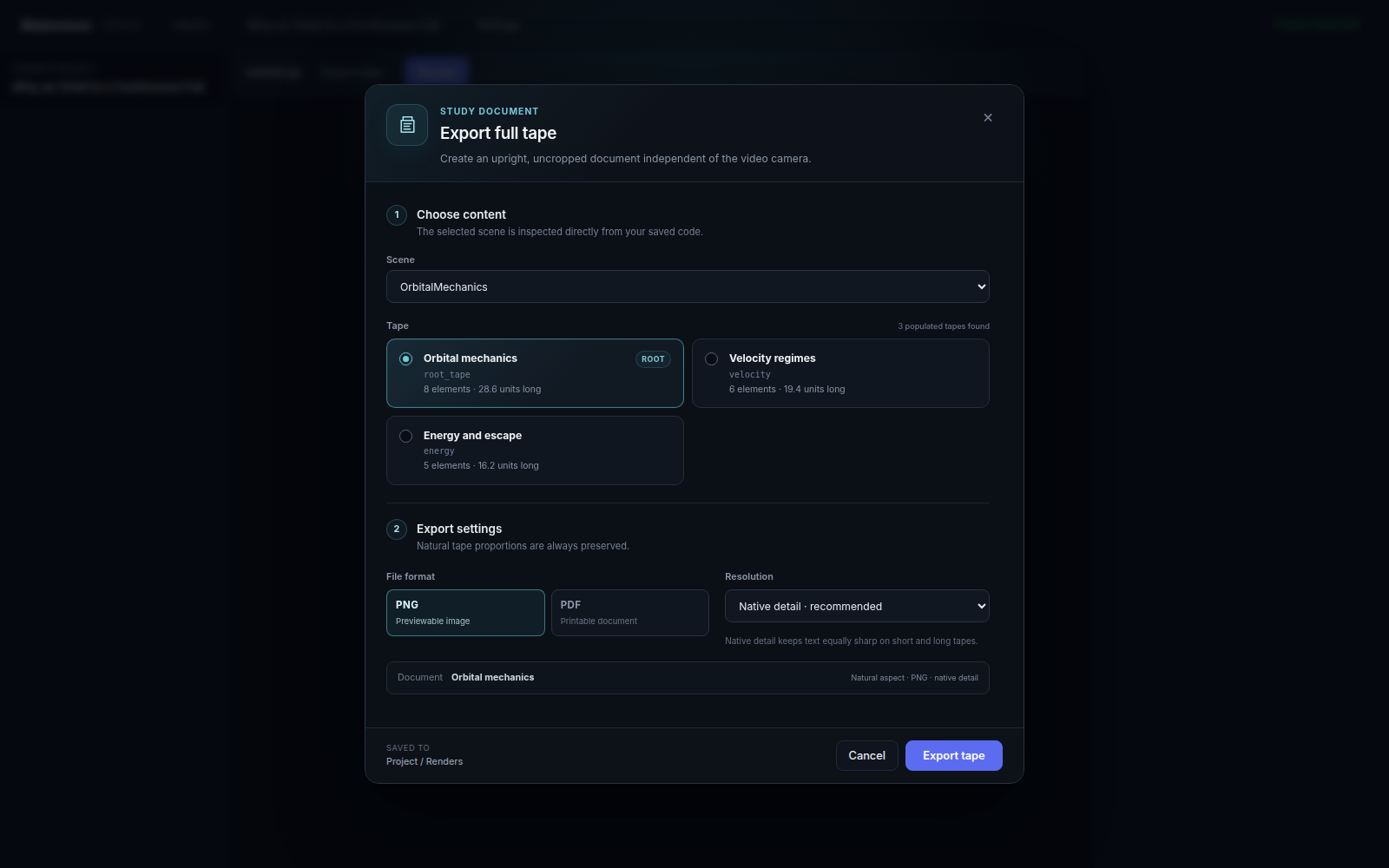
Section titled “Export a complete tape”The desktop can inspect saved scene code, list every populated tape, and export the selected layout as an upright, uncropped PNG or PDF. Natural proportions do not depend on the video camera.